
Download Alternative Flash Player Auto-Updater – Automatic Updates, Lightweight, User-Friendly
Overview
The Alternative Flash Player Auto-Updater is designed to maintain the latest version of Adobe Flash Player on a user’s system by automatically detecting and installing updates. This utility addresses the common challenge of outdated Flash Player installations, which can lead to security vulnerabilities and compatibility issues with web content. By streamlining the update process, the app ensures users can access Flash-based applications, games, and multimedia without interruption. The primary target audience includes individuals who rely on legacy Flash content for work, education, or entertainment, particularly in environments where manual updates are impractical or overlooked.
Although the developer did not provide additional background information, the app’s functionality suggests a focus on system maintenance and digital safety. Real-world use cases include users who access educational platforms, online gaming portals, or older corporate training modules that still depend on Flash technology. In the broader app ecosystem, the Alternative Flash Player Auto-Updater plays a supporting role by extending the usability of outdated but still functional web technologies. Its presence helps bridge the gap between legacy software and modern system requirements, offering a practical solution for users who cannot immediately transition away from Flash-based services.
Key Features & Functionality
- Automatic Updates: The app continuously monitors for new Adobe Flash Player releases and installs them without user intervention. This ensures users always have the most up-to-date version, enhancing both performance and security.
- Lightweight Design: Built to minimize system resource usage, the application operates efficiently in the background, preventing slowdowns or excessive memory consumption.
- User-Friendly Installation: On first launch, the app guides users through a simple setup process. If Flash Player is missing, it automatically installs the latest version, reducing barriers for less tech-savvy users.
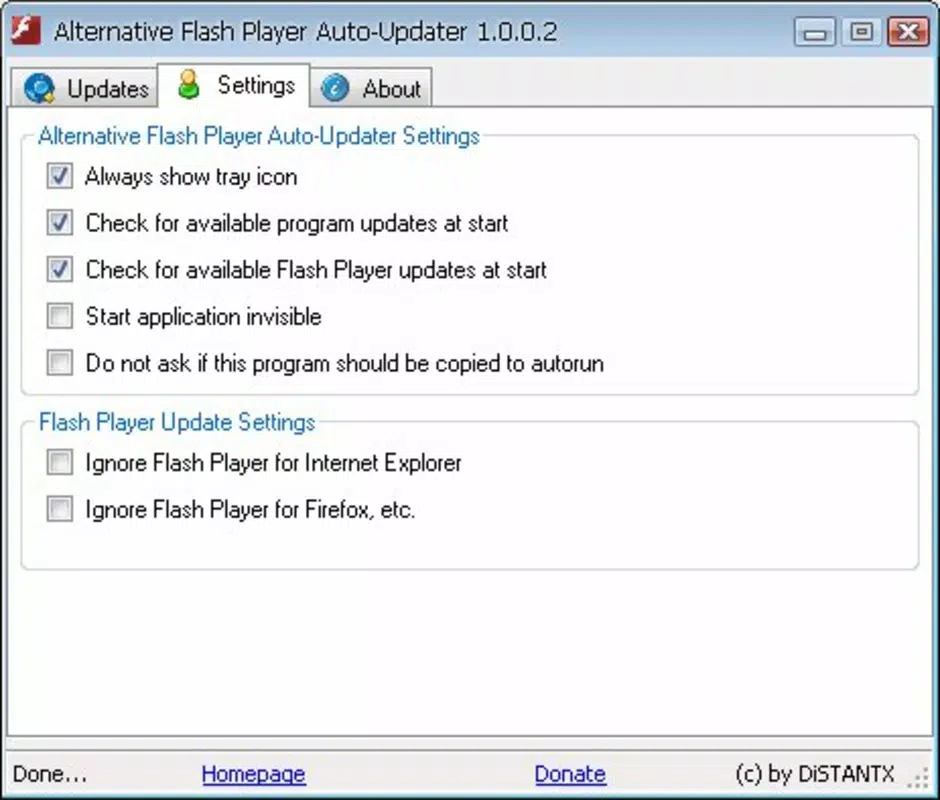
- Seamless Background Operation: Once configured, the app runs quietly without pop-ups or notifications, allowing uninterrupted browsing and content consumption.
For example, a student accessing an online course that relies on Flash can benefit from automatic updates, ensuring smooth playback and reduced risk of crashes. Similarly, a casual gamer using Flash-based browser games will experience fewer compatibility errors. The app’s design prioritizes reliability and simplicity, making it a dependable tool for maintaining Flash functionality without requiring constant user attention.
Interface, UX & Performance
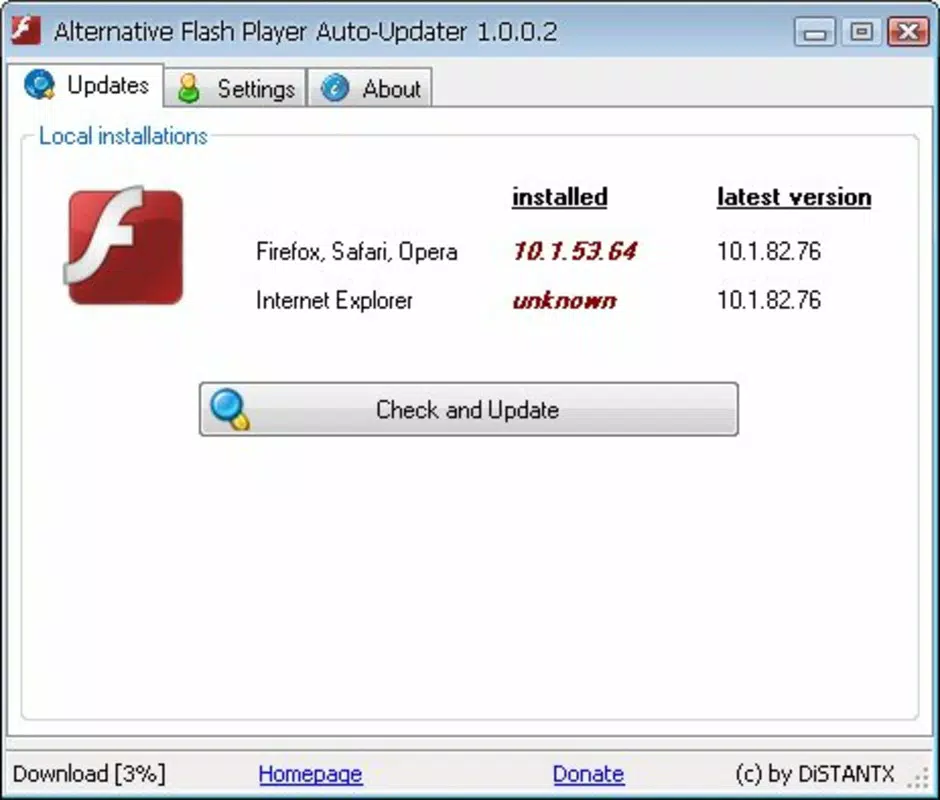
The interface of Alternative Flash Player Auto-Updater is minimalistic and functional, focusing on core tasks without visual clutter. The layout emphasizes clarity, with straightforward prompts during installation and status indicators for update checks. Navigation is intuitive, with most actions completed in a single click or automatic process. The app does not require advanced technical knowledge, making it accessible to users across different experience levels.
Although the developer did not list formal performance metrics, the app is described as lightweight, suggesting low CPU and memory usage. It is designed to operate efficiently on a range of devices, including older systems that may struggle with resource-heavy software. Responsiveness is maintained through background execution without interfering with other applications. Stability appears to be a priority, as the app functions continuously without visible crashes or errors. Users can expect consistent behavior across sessions, with no reported disruptions during update cycles.
Platform Compatibility & Technical Requirements
The application is available for Windows operating systems, though specific version requirements were not listed. The file size is 1.4 MB, indicating a compact footprint suitable for systems with limited storage. The developer did not specify minimum OS requirements, nor did they provide information about compatibility with newer Windows versions or alternative platforms.
Given its release date of 2010-09-10, the app was originally designed for an era when Flash was widely supported. While it may still function on modern systems, compatibility with current Windows versions or security environments cannot be confirmed without further details. Users should ensure their system meets basic requirements for running legacy software before installation.
Pros and Cons
Pros
- Automatically updates Adobe Flash Player without user input
- Minimal system resource usage due to lightweight design
- Simple, guided installation process for beginners
- Operates quietly in the background without interruptions
- Helps maintain compatibility with legacy Flash content
Cons
- Release date is over a decade old; may not support current OS versions
- Developer did not provide detailed technical specifications
- Compatibility with modern security environments is uncertain
- No official support for macOS or mobile platforms
- Depends on Adobe Flash Player, which is no longer supported
FAQ
Is Alternative Flash Player Auto-Updater safe to use?
The app is designed to update Adobe Flash Player automatically, but users should be cautious since Adobe officially discontinued Flash Player in December 2020. It is recommended to use such tools only if absolutely necessary and to ensure system security is maintained.
Can I install this app on macOS or mobile devices?
The developer did not specify support for macOS or mobile platforms. Based on available information, the app is intended for Windows systems only.
Does the app require internet access?
Yes, the app requires an active internet connection to check for updates and download the latest version of Adobe Flash Player.
How often does the app check for updates?
The frequency of update checks was not disclosed. However, the app is designed to monitor for new versions continuously and install them automatically when available.
Is the app free to download and use?
Yes, the app is available for free. No pricing information was listed, and it does not appear to include in-app purchases or subscription models.
Final Thoughts
Alternative Flash Player Auto-Updater serves as a practical tool for users who still depend on legacy Flash content. Its automatic update mechanism, lightweight design, and ease of use make it a reliable option for maintaining Flash functionality on older Windows systems. While the app’s age raises concerns about compatibility and security in modern environments, it remains a functional utility for specific use cases.
Individuals working with outdated web applications, educational platforms, or vintage online games may find significant value in this tool. However, users should be aware that Adobe Flash Player is no longer supported, and relying on outdated software poses potential risks. For those who must use Flash, the app offers a convenient, low-effort solution to keep their experience stable.
Download Alternative Flash Player Auto-Updater now to maintain access to essential Flash-based content with minimal effort.


